Batching Emails: Reduce Inbox Time by 40% Daily Strategy

Anúncios
Implementing a structured email batching strategy can significantly cut down the time spent in your inbox by up to 40%, boosting productivity and reducing digital overwhelm effectively.
Anúncios
Are you constantly drowning in a sea of emails, feeling like your inbox dictates your day? Imagine reclaiming a significant portion of your valuable time. This article explores how batching emails strategy can reduce your inbox time by a remarkable 40% with a straightforward daily approach, transforming your productivity and overall well-being.
The relentless tide of constant email notifications
In today’s hyper-connected world, email has become an indispensable tool for communication, collaboration, and information exchange. However, its omnipresence often comes at a significant cost: constant interruptions that fragment our focus and erode our productivity. The seemingly innocuous ping of a new email notification can pull us away from deep work, breaking our concentration and making it challenging to return to the task at hand. This phenomenon, often referred to as ‘context switching,’ is a major drain on cognitive resources and a primary culprit behind reduced efficiency.
The expectation of immediate responses, fueled by instant messaging culture, further exacerbates the problem. Many professionals feel compelled to check their inboxes almost continuously, fearing they might miss something critical or appear unresponsive. This constant vigilance transforms email from a helpful tool into a demanding master, dictating the pace of our workday and leaving little room for proactive, focused effort. Understanding the profound impact of this constant interruption is the first step toward reclaiming control and fostering a more productive work environment.
The psychological toll of an overflowing inbox cannot be overstated. The sheer volume of unread messages can create a sense of overwhelm, anxiety, and guilt, contributing to digital burnout. The feeling of being perpetually behind, even when working diligently, is a common experience for those who struggle with email management. By recognizing these challenges, we can begin to appreciate the necessity of adopting more strategic approaches, such as email batching, to mitigate these negative effects and cultivate a healthier relationship with our digital communications.
Understanding the core concept of email batching
Email batching is a powerful productivity technique that involves processing your emails at specific, predetermined times throughout the day, rather than constantly checking them as they arrive. Instead of reacting to every notification, you proactively decide when to engage with your inbox. This strategic shift transforms email from a continuous distraction into a scheduled task, allowing for dedicated periods of focused work interspersed with efficient email processing. The fundamental idea is to group similar tasks together to minimize context switching and maximize concentration.
Why batching works for productivity
- Reduces interruptions: By dedicating specific blocks of time to email, you eliminate the constant pings and visual distractions that break your flow during other tasks. This allows for deeper concentration and higher quality work.
- Improves focus: When you know you have a designated time for emails, your mind is freed to fully engage with the current task without the nagging thought of an unread message.
- Enhances efficiency: Processing emails in batches often leads to greater efficiency. You’re already in ‘email mode,’ making it easier to reply to multiple messages, archive, or delete them without having to reorient yourself each time.
The power of email batching lies in its simplicity and its ability to impose structure on what often feels like chaos. It’s about setting boundaries with your inbox, rather than letting your inbox set boundaries for you. This approach is not about ignoring important communications, but rather about managing them intentionally and strategically, ensuring they serve your productivity goals rather than hindering them. By adopting this method, individuals can experience a significant reduction in stress and a noticeable increase in their ability to complete complex tasks.
Designing your ideal daily email batching schedule
Creating an effective email batching schedule requires thoughtful consideration of your work patterns, the nature of your role, and the urgency of communications you typically receive. There’s no one-size-fits-all solution, but a well-designed schedule can dramatically improve your focus and reduce email-related stress. The goal is to find a rhythm that allows you to be responsive without being constantly reactive.
Anúncios
Key considerations for scheduling
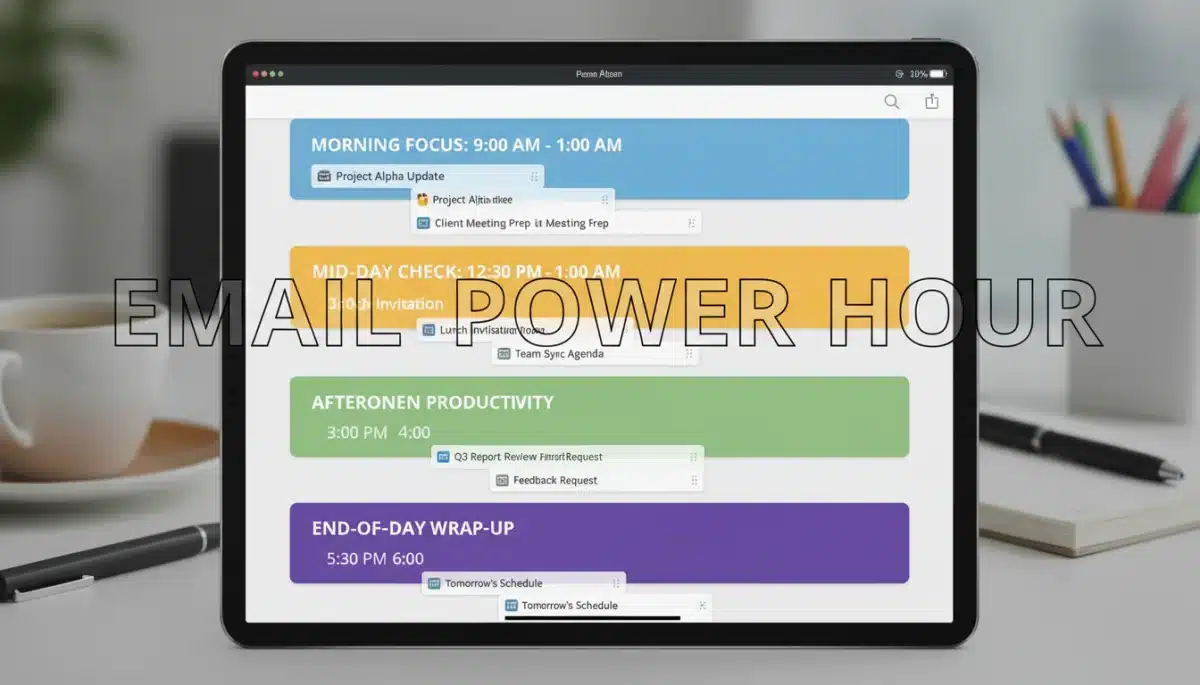
- Morning check-in: A brief session at the start of your workday to triage urgent messages and plan your day. This isn’t for deep diving into every email but for identifying critical tasks.
- Midday review: A more substantial block, perhaps after lunch, to respond to non-urgent emails, clear out your inbox, and follow up on any morning tasks.
- End-of-day wrap-up: A final session to ensure all critical communications are handled, set priorities for the next day, and achieve ‘inbox zero’ if possible. This helps you disconnect more easily.
Many experts recommend starting with two to three dedicated email check-in times. For instance, you might allocate 30 minutes in the morning, 45 minutes after lunch, and 20 minutes before logging off. During these periods, you fully immerse yourself in email management, responding, archiving, delegating, or deleting as needed. Outside of these times, notifications should be turned off, and your email client closed or minimized to eliminate temptation.
It’s crucial to communicate your new email habits to colleagues and clients, especially if they are accustomed to instant replies. Setting clear expectations can prevent misunderstandings and foster a culture of more thoughtful communication. Remember, consistency is key to making this strategy effective. Stick to your schedule for at least a few weeks to allow it to become a natural part of your routine and to observe the significant positive impact it has on your productivity and peace of mind.
Essential tools and techniques to support email batching
While the core principle of email batching is simple, several tools and techniques can significantly enhance its effectiveness and help you maintain discipline. Leveraging technology wisely can turn your email client into a powerful ally rather than a constant source of distraction. These aids help create a more structured and less intrusive email experience.
Leveraging email client features
Most modern email clients offer features that can be incredibly useful for batching. Familiarize yourself with options like:
- Notification management: Turn off all desktop and mobile email notifications. This is perhaps the most crucial step to prevent impulsive checking.
- Scheduled send: Many clients allow you to compose an email now and schedule it to be sent later. This is perfect for responding to non-urgent emails during your batching time without immediately disrupting the recipient’s workflow or creating an expectation of instant replies.
- Rules and filters: Set up automated rules to sort incoming emails into different folders (e.g., ‘Urgent,’ ‘Read Later,’ ‘Newsletters’). This helps in triaging your inbox more quickly during your designated batching periods.
Beyond your email client, consider using productivity apps or browser extensions that can block distracting websites, including your email, outside of your scheduled times. Tools like Freedom, StayFocusd, or Cold Turkey can create digital boundaries, enforcing your batching schedule and preventing you from inadvertently drifting back into your inbox. Additionally, utilizing a task manager to log any actions derived from emails ensures that important follow-ups are not forgotten once you close your email client. The synergy between these tools and your batching strategy will solidify your commitment to focused work and significantly reduce the mental load associated with email management.
Overcoming common challenges and maintaining discipline
Adopting a new habit like email batching inevitably comes with its challenges. The ingrained habit of constantly checking email can be hard to break, and external pressures often make discipline difficult. However, with the right strategies, you can overcome these hurdles and solidify your new, more productive routine. Persistence and self-awareness are key in this transformation.
Strategies for staying on track
- Communicate your boundaries: Inform your team, clients, and collaborators about your new email response times. This manages expectations and reduces the pressure for instant replies.
- Start small: If going from constant checking to strict batching feels too drastic, begin by reducing your check-ins gradually. For example, start with checking every hour, then every two hours, until you reach your desired schedule.
- Use a timer: During your batching sessions, set a timer for the allocated duration. This helps you stay focused and prevents overspending time in your inbox.
- Address urgent matters proactively: If your role requires immediate attention to certain types of emails, set up specific filters or use VIP senders to receive alerts only for those critical messages, allowing you to keep general notifications off.
One of the biggest challenges is dealing with the fear of missing out (FOMO) or the anxiety that something urgent might arise. Remind yourself that most emails are not truly urgent and can wait until your next scheduled check. For genuinely time-sensitive communications, consider alternative channels like instant messaging or phone calls, clearly communicating when these channels should be used. Regularly review your batching schedule and adjust it as needed. What works one week might need tweaking the next, especially as your responsibilities evolve. By being flexible and consistent, you can successfully integrate email batching into your daily routine and reap its considerable benefits.
Measuring the impact: how batching reduces inbox time by 40%
The claim that email batching can reduce inbox time by 40% might seem ambitious, but it’s a realistic outcome supported by numerous productivity studies and anecdotal evidence from professionals who have adopted the strategy. The significant time savings stem from the elimination of context switching and the increased efficiency of processing emails in focused blocks. Understanding the mechanics behind this reduction can further motivate its adoption.
The math behind the savings
- Eliminating context switching costs: Each time you switch from a primary task to check an email, your brain incurs a ‘cost’ to reorient itself. Studies suggest it can take 15-25 minutes to regain full focus after an interruption. By reducing these interruptions from dozens a day to just a few, you save hours of lost productivity.
- Focused processing: When you dedicate a block of time solely to email, you become highly efficient. You’re already in ‘email mode,’ so you can quickly read, categorize, respond, and archive messages without mental friction. This contrasts sharply with the fragmented, less efficient approach of checking emails piecemeal throughout the day.
- Reduced decision fatigue: Constantly deciding whether to open an email, respond immediately, or defer it contributes to decision fatigue. Batching simplifies this by consolidating these decisions into specific periods, freeing up mental energy for more critical tasks.
To truly measure your own impact, start by tracking your current email habits for a week. Note how many times you check your inbox, how long each session lasts, and how often you get sidetracked. Then, implement email batching for a few weeks and repeat the tracking. You’ll likely observe a dramatic reduction in the total time spent on email-related activities, not just in the inbox itself, but also in the time lost due to interruptions. This quantitative evidence often provides the strongest motivation to stick with the batching strategy, solidifying its place as a cornerstone of your daily productivity routine. The cumulative effect of these small efficiencies leads to the impressive 40% reduction, or even more, in your overall email management time.
Integrating email batching into a broader productivity framework
Email batching, while powerful on its own, achieves its maximum potential when integrated into a comprehensive personal productivity framework. It’s not just about managing emails; it’s about optimizing your entire workflow to create a more focused, efficient, and less stressful workday. This holistic approach ensures that the time saved from email management is channeled into high-value activities.
Synergistic productivity practices
Consider combining email batching with other proven techniques:
- Time blocking: Allocate specific blocks of time in your calendar for deep work, meetings, and, of course, email processing. This visually reinforces your schedule and helps you commit to it.
- The Pomodoro Technique: Use 25-minute focused work intervals followed by short breaks. You can apply this during your email batching sessions to maintain intense focus, or during your deep work blocks to ensure emails don’t creep in.
- Task management systems: Integrate actions derived from emails directly into your task manager. Once an email-related task is logged, you can close your inbox with confidence, knowing the item will be addressed during its scheduled time.
Furthermore, regularly reviewing your priorities and setting clear daily goals can help you make the most of the time freed up by email batching. Instead of simply having ‘more time,’ consciously decide how you will invest that time into activities that align with your most important objectives. This might involve dedicating more time to strategic planning, creative tasks, professional development, or even simply taking more meaningful breaks. By viewing email batching as a component of a larger system, you not only manage your inbox more effectively but also elevate your overall productivity and achieve a greater sense of control over your professional life. This integrated approach fosters sustainable habits that lead to long-term success and reduced burnout.
| Key Point | Brief Description |
|---|---|
| What is Email Batching? | Processing emails at specific, scheduled times instead of constantly checking, reducing interruptions. |
| Why It Works | Minimizes context switching, improves focus, and enhances efficiency during dedicated email periods. |
| Daily Schedule Tips | Establish 2-3 fixed times (morning, midday, end-of-day) for email processing; turn off notifications. |
| Tools & Support | Utilize email filters, scheduled send, and productivity apps to enforce batching and manage expectations. |
Frequently asked questions about email batching
The primary benefit is a significant reduction in interruptions and context switching, leading to improved focus and increased overall productivity. By processing emails in dedicated blocks, you reclaim valuable time for deep work, potentially cutting inbox time by 40% or more.
Most experts recommend checking emails two to three times a day. Common schedules include a brief check in the morning, a more thorough session midday, and a final review before concluding your workday. This balance allows for responsiveness without constant distraction.
For truly urgent matters, it’s best to establish alternative communication channels, such as instant messaging or phone calls, and communicate these expectations to your team. You can also set up specific email filters to alert you only for critical messages from key contacts.
Clearly communicate your new email response times to colleagues, clients, and collaborators. You can include a note in your email signature or send a brief announcement. This manages expectations and helps foster a culture of more intentional communication.
Yes, email batching is highly adaptable. While the core principle remains, the frequency and duration of your email sessions can be customized based on your role’s specific demands for responsiveness. Experiment to find what works best without compromising critical tasks.
Conclusion
Embracing an email batching strategy is more than just a productivity hack; it’s a fundamental shift in how you manage your digital life and allocate your most precious resource: your time. By intentionally scheduling your email interactions, you not only reduce the constant digital noise and reclaim a significant portion of your workday, but you also cultivate a deeper sense of control and focus. The promise of reducing inbox time by 40% is well within reach for anyone willing to implement this disciplined yet liberating approach. Start today, and experience the profound impact a structured email routine can have on your productivity, well-being, and ability to achieve meaningful work.
